


ORG 24: Your Music
4.46.03K Reviews
App Specs
- Version
- 2026.06.20
- Updated On
- License
- Free
- Downloads
- 100,000,000+
- Developer
- Sofeh Sunrise
- Categories
- Music & Audio
- Platform
- Android, iOS
Screenshots
 Analysis by AppCompare
What makes a phone-based instrument useful to me is not the size of its feature list, but whether I can move from an idea to a playable sound without losing the moment. ORG 24: Your Music is built around that quick, hands-on appeal: it gives you a virtual keyboard and musical tools to explore, practise, or sketch out a tune wherever you are. I see it as a small creative instrument first, rather than a replacement for a full recording studio.
A keyboard that invites quick experiments
The main attraction is being able to play with different instrument sounds and rhythms from the same app. That changes the feel of a casual session: I can try a melody on a piano sound, then switch to another timbre to see whether the idea works better there, without setting up physical instruments. For a beginner, that makes experimentation less intimidating; for someone who already plays, it offers a convenient way to catch a musical thought before it disappears.
ORG 24 is a free music-making app from Sofeh Sunrise, with optional in-app purchases priced from $1.99 to $19.99 per item. It has a 4.4 average from around 722,000 ratings, and has passed 100 million installs. Those figures suggest that it has reached a broad audience, though popularity alone cannot tell you whether its playing style will suit you. The app is rated for Everyone, and its current version is 2026.05.26.
What playing on a phone is really like
A touchscreen keyboard is naturally different from a piano: there is less room for your hands, and the surface does not respond like physical keys. I would use it for trying out short phrases, practising simple patterns, or tapping along with a rhythm—not as my first choice for expressive piano performance. A tablet gives the controls more breathing room, while a phone is handy when portability matters more than playing comfort.
A practical tip is to treat a recording as a musical notebook. If a melody or rhythm occurs to you, capture a short idea, then listen back before deciding whether it is worth developing. That is a more realistic job for a mobile instrument than expecting every casual session to become a polished track. It also helps separate a promising musical sketch from a pattern that only felt catchy while you were playing it.
Where it fits among music apps
Compared with a conventional piano-learning app, this is a more open-ended place to play: the emphasis is on exploring sounds and making music rather than following a lesson path. Compared with a full digital audio workstation, it is easier to approach for a quick session, but a desktop-style production tool is a better fit when you need detailed arrangement and mixing. I would choose ORG 24 when I want an instrument in reach, and a dedicated learning or production app when I have a specific structured goal.
The app is available for Android and iOS, and the Android minimum is version 7.0. If you are choosing between a phone and tablet, think about what you plan to play: a small screen can be fine for a quick tune or rhythm, but it can feel cramped if you want to use both hands or keep several controls visible. I would also check the optional purchase choices in the app before spending; the free starting point makes it easy to try the basic experience first.
Worth Reading Before You Choose

Flipboard Shows What News Apps Must Do Beyond the Feed

Switching to Android Auto Means Rethinking Your Driving Routine

Google Calendar Makes a Crowded Week Easier to Manage

Ludo King Makes the Most of the Minutes Between Plans

Baby Panda World Brings Quick Play to Modern Phones, but Its Game Library Feels Busy

ESPN’s Live Game View Makes Following Close Games Easier
Getting Started with ORG 24
Diving into ORG 24: Your Music was surprisingly easy. The app is available on both Android and iOS, which is always a plus in my book. As soon as you open it, you're greeted with a sleek interface that doesn’t overwhelm you with too many options right out of the gate. Honestly, it feels like they’ve struck the perfect balance between functionality and user-friendliness.
The installation process is smooth. You can find it on both the Google Play Store and Apple’s App Store, so downloading it is a breeze. Once installed, you’re presented with a quick tutorial that walks you through the basics. This is super helpful if you’re not familiar with music apps or if you need a refresher on digital music tools.
Features That Hit the Right Note
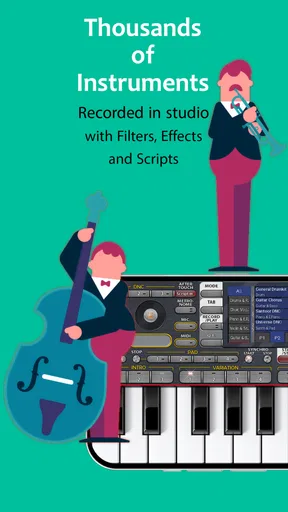
Now, let’s talk features, because this app is packed with them! At its core, ORG 24 boasts a wide array of virtual instruments. You’ve got everything from pianos and guitars to more exotic instruments like sitars and flutes. The sound quality is top-notch, and I was genuinely impressed with how authentic the instruments sounded.
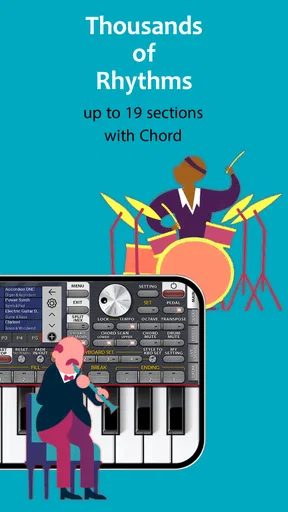
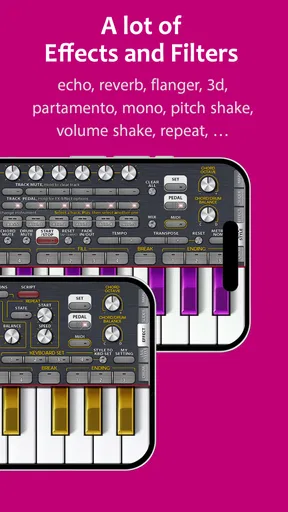
One of the standout features for me is the rhythm section. The app comes with a library of pre-recorded rhythms that you can jam along with. Whether you’re into rock, jazz, or classical music, there’s something here for everyone. Plus, the ability to customize rhythms or even create your own adds a personal touch to your music-making experience.
Another cool feature is the recording function. You can easily record your sessions and save them directly to your device. This is a lifesaver when you’ve just come up with a killer riff and don’t want to forget it. Plus, sharing your recordings with friends or on social media is just a tap away.
Interface and Usability
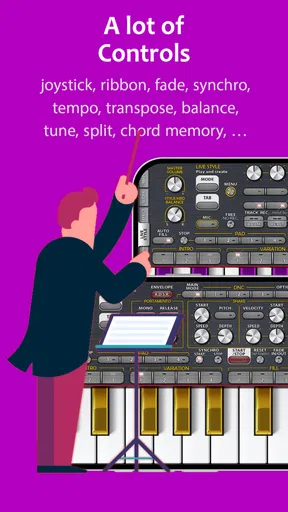
The developers have really nailed the interface. It’s intuitive, with clearly labeled buttons and options. You don’t have to dig through endless menus to find what you’re looking for, which, trust me, is a relief. The layout is clean, and everything is within reach, making it perfect for quick access during live performances or impromptu jam sessions.
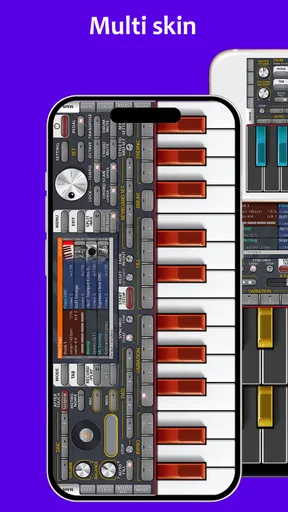
Another highlight is the customization options. You can personalize the appearance of your virtual instruments, which is a nice touch. This might seem minor, but having a setup that visually appeals to you can really enhance the overall experience.
Performance on Different Devices
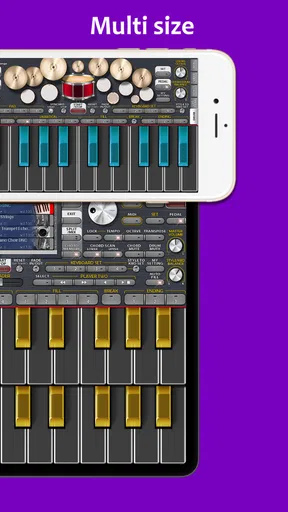
I tested ORG 24 on both a smartphone and a tablet, and it performed brilliantly on both. It’s optimized well, so you won’t experience any lag or crashes, even if you’re running multiple apps in the background. The app scales beautifully on larger screens, giving you more space to experiment with your musical creations.
Battery usage is pretty efficient, too. Even after a lengthy session, my device didn’t heat up or drain significantly, which is always a concern with resource-intensive apps.
Costs, fit, and a sensible first session
For a newcomer, I’d start with a simple routine rather than trying to master every instrument and control at once. Pick one sound, find a comfortable tempo, and make a short phrase; then try the same notes against a rhythm. This gives you a clear way to judge whether the touch layout and sound palette are enjoyable for you. If the screen feels crowded, switch to a tablet if you have one, or keep sessions focused on single-hand ideas.
One useful trade-off is that built-in rhythms can make it easier to start playing, but they can also steer your idea toward the groove they suggest. I’d sometimes switch the rhythm off and test the melody on its own before committing to it. Conversely, when practising timing or looking for a spark, playing along can supply structure that a blank screen does not. The point is to use accompaniment as a prompt, not let it make every musical decision for you.
People often wonder whether this is mainly for learning, recording, or casual play. I’d put it closest to casual playing and sketching: the keyboard and rhythms make it inviting to explore, while recording gives you a way to keep a promising idea. Someone who needs guided lessons, notation-focused study, or a carefully layered production workflow will probably be happier with an app designed specifically for that job.
A small, realistic use case
Imagine waiting for a friend at a café and remembering a melody from the walk over. I’d open the app, try the phrase on a few sounds, and record the version that feels most memorable. Later, I could replay it and decide whether to develop it elsewhere. That is where a phone instrument earns its place: it reduces the gap between having an idea and keeping a trace of it. It is less suited to a noisy or cramped setting where tapping accurately is awkward, so headphones and a quieter moment can make the experiment more useful.
If you already use a piano app, ORG 24 may still be worth trying when you want more than a single keyboard sound and enjoy pairing playing with rhythm. If you rely on a DAW, treat it as a quick idea pad rather than assuming it will replace your established arrangement and editing process. I would skip it if your priority is a full course, detailed studio controls, or the feel of weighted physical keys; those needs call for different tools.
Final Thoughts
All in all, ORG 24: Your Music is a fantastic app for anyone interested in music creation. It’s versatile, user-friendly, and packed with features that cater to both beginners and pros. Whether you’re composing your next masterpiece or just jamming for fun, this app has got you covered.
If you’re on the hunt for a reliable and feature-rich music app, I’d definitely recommend giving ORG 24 a try. It’s more than just a music app; it’s like having a mini studio in your pocket. Don’t just take my word for it—download it and experience the musical magic for yourself!
Pros
- User-friendly interface makes navigation easy.
- Wide range of music genres available.
- Offline playback supports seamless listening.
- High-quality audio for an immersive experience.
- Customizable playlists enhance personalization.
Cons
- Occasional ads disrupt the listening experience.
- Limited features in the free version.
- Requires internet for some functions.
- In-app purchases can be pricey.
- Compatibility issues on older devices.
FAQs for ORG 24: Your Music
What is ORG 24: Your Music, and what features does it offer?
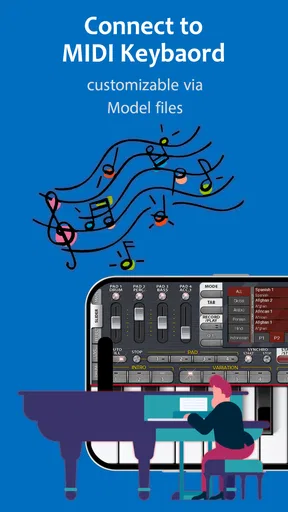
ORG 24: Your Music is a comprehensive virtual music studio app that transforms your device into a full-fledged keyboard. It offers a wide range of features including multiple instrument sounds, customizable rhythms, and editing tools to create and modify music tracks. Additionally, it supports MIDI connections and provides a user-friendly interface for both beginners and advanced users.
Is ORG 24 suitable for beginners, or is it more for professional musicians?
ORG 24 is designed to cater to both beginners and professional musicians. The app provides an intuitive interface with tutorials and easy-to-use features for novices, while also offering advanced functionalities such as MIDI support and extensive sound customization for seasoned musicians. This flexibility makes it a versatile tool for anyone interested in music creation.
What devices and operating systems are compatible with ORG 24?
ORG 24 is compatible with both Android and iOS devices. It is optimized to run smoothly on a variety of smartphones and tablets, ensuring a seamless user experience. Before downloading, users should check the app store for specific system requirements to ensure compatibility with their device’s operating system version.
Does ORG 24 require an internet connection to function?
ORG 24 does not require an internet connection for most of its primary features, such as playing instruments and composing music. However, an internet connection might be necessary for downloading additional sound packs or accessing certain online features and updates. Users can enjoy the core functionalities offline without any interruptions.
Are there in-app purchases or subscriptions in ORG 24?
Yes, ORG 24 offers in-app purchases and subscriptions. While the app provides a free version with basic features, users can purchase additional sound packs, instruments, and premium features. Subscriptions may offer benefits like ad-free usage and access to exclusive content. Users should review these options to enhance their music creation experience.


